English
Bank Accounts and Invoice Payment Details
DirectPort lets each party have several labeled bank accounts. Choose a primary account for normal invoicing and, where needed, remember a different set of payment accounts for a particular customer.
Configure a party's bank accounts
- Open Master Data > Parties and select the party that receives the payment.
- Find Bank accounts and select the + button.
- Enter an Account label, such as
KBCorUSD account, and the IBAN. Both fields are required. Add the BIC when applicable. - Save the account. The first account becomes primary automatically.
- To change the primary account, select the star beside another account.
Users need permission to manage master data to add, edit, or remove accounts.
Existing payment details
An existing party IBAN and BIC are kept during the upgrade and appear as a labeled primary account.
Choose the accounts on an invoice
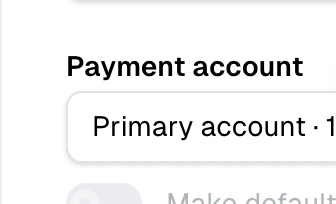
The Payment accounts field appears on outgoing invoices and self-billed invoices. Once the seller and customer are known, DirectPort selects:
- the accounts previously saved as the default for that customer, in the saved order; or
- the seller's primary account when there is no customer-specific default.
You can select several accounts, change the selection, or clear it before saving. The accounts appear on the invoice document in the order you select them. Enable Make selected accounts default for this customer to have the same accounts selected automatically the next time the same seller invoices that customer.
No account configured
An outgoing invoice can still be saved without payment details, but DirectPort shows a warning. Add the bank account to the seller's party record, then select it on the invoice if the recipient needs payment instructions.
What is saved with the invoice
When the invoice is saved, DirectPort stores a snapshot of the label, IBAN, and BIC of every selected account. The accounts are listed in the footer of the invoice document, and each account with an IBAN is included as a payment option when the invoice is sent through Peppol. A credit note prepared from the invoice keeps the same saved payment details.
Because the invoice keeps a snapshot:
- changing an account later does not rewrite an existing invoice
- deleting an account does not remove payment details from existing invoices
- opening an older invoice does not silently replace its saved account with the current primary account
Edit the invoice and change the selection if its saved payment details need to change. Saving a changed selection takes the current details of every selected account from the party record.
Change or remove an account
Select the pencil beside an account to update its label, IBAN, or BIC. Changes to the primary account also update the party's compatibility payment fields for older workflows.
Before deleting a primary account when alternatives exist, mark another account as primary. Deleting an account also removes it from customer-specific defaults, while existing invoices keep their snapshots.
Troubleshooting
| Problem | What to check |
|---|---|
| The Payment accounts field is missing | It is shown for outgoing and self-billed invoices, not ordinary incoming invoices. |
| The wrong accounts are selected automatically | Customer-specific defaults take priority over the primary account. Select the intended accounts and enable Make selected accounts default for this customer. |
| No accounts are available | Add one to the seller under Master Data > Parties > Bank accounts. |
| I cannot delete the primary account | Mark another account as primary first, or clear the only remaining primary account by deleting it. |
| An old invoice still shows deleted account details | This is expected: saved invoices retain their payment-account snapshot. |