Appearance
Dashboard - Introduction
Purpose of the Training
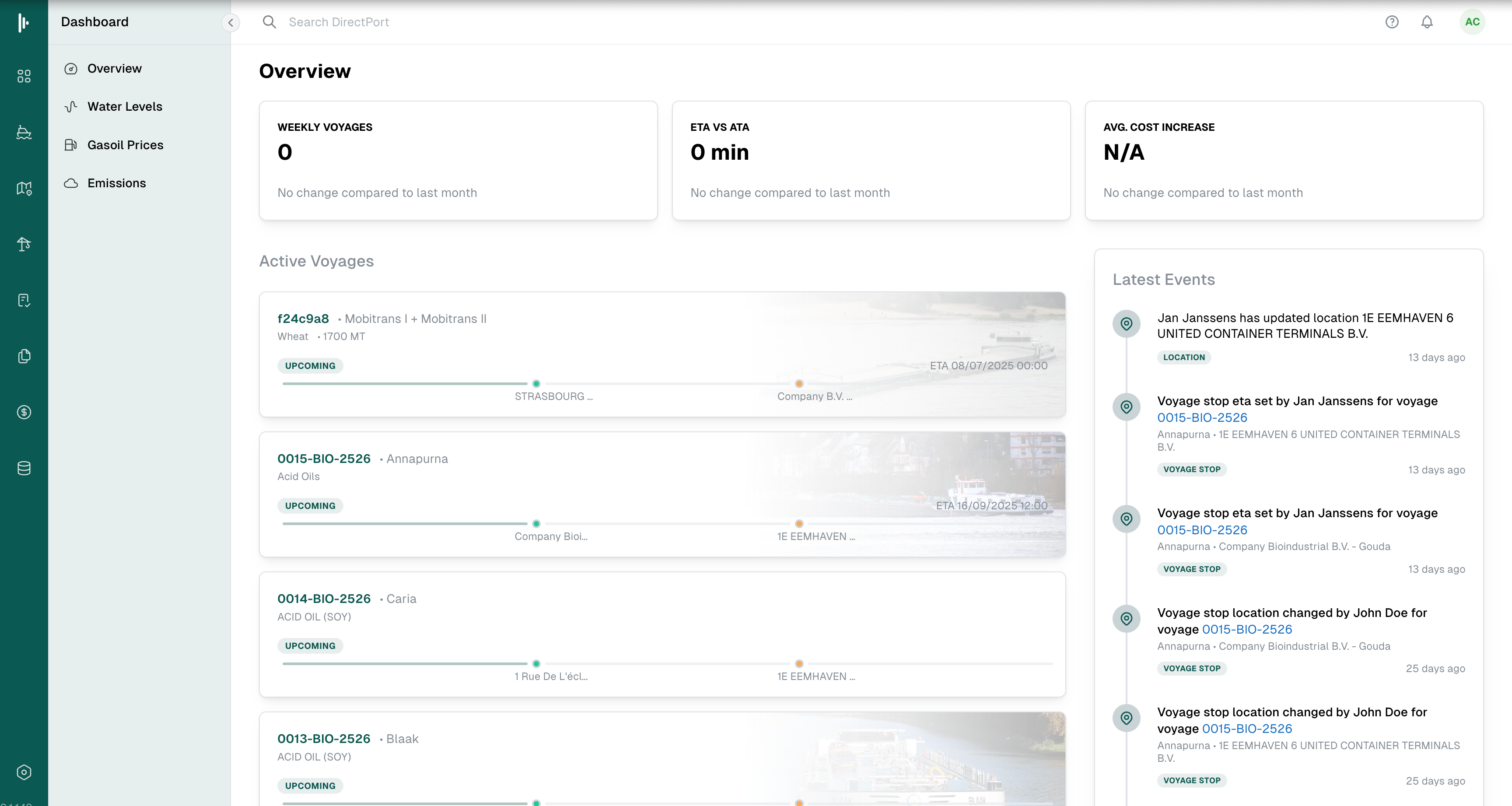
This comprehensive training module will guide you through DirectPort's Dashboard module, your central command center for inland shipping operations. The Dashboard provides real-time visibility into your operations, enabling data-driven decision-making and proactive management of your fleet, voyages, and resources.
Target Audience
This training is designed for:
- Operations Managers - Monitor fleet performance and operational KPIs
- Voyage Operators - Track voyage progress and identify bottlenecks
- Terminal Operators - Oversee terminal capacity and resource utilization
- Fleet Managers - Monitor vessel performance and maintenance schedules
- Executive Leadership - Access high-level operational insights and analytics
- System Administrators - Configure dashboard widgets and user permissions
Learning Objectives & Expected Outcomes
By completing this training module, you will be able to:
Primary Learning Objectives
- Navigate the Dashboard Interface - Understand the layout, widgets, and navigation elements
- Customize Your View - Configure widgets, filters, and display preferences to match your role
- Monitor Real-Time KPIs - Interpret key performance indicators and operational metrics
- Utilize Alert Systems - Set up and respond to automated alerts and notifications
- Analyze Performance Data - Generate insights from performance analytics and trending data
Expected Outcomes
- Improved Operational Visibility - Gain instant insights into fleet and voyage performance
- Faster Decision Making - Access real-time data to make informed operational decisions
- Proactive Problem Resolution - Identify issues before they impact operations
- Enhanced Productivity - Streamline daily workflows through customized dashboard views
- Better Resource Management - Optimize vessel utilization and terminal capacity
Module Overview
The Dashboard module serves as your operational nerve center, providing:
Core Capabilities
- Real-Time Monitoring - Live updates on vessel positions, voyage status, and terminal operations
- Customizable Widgets - Drag-and-drop interface for personalizing your dashboard layout
- Performance Analytics - Advanced charts and metrics for operational analysis
- Alert Systems - Automated notifications for critical events and threshold breaches
- Multi-Tenant Views - Role-based dashboards tailored to your responsibilities
Key Features
- Interactive Maps - Vessel tracking with real-time position updates
- KPI Widgets - Customizable performance indicators and metrics
- Calendar Integration - Upcoming voyages, maintenance schedules, and port calls
- Weather Integration - Current conditions and forecasts for your operational areas
- Financial Summaries - Revenue, costs, and profitability overviews
Business Value
The Dashboard module delivers immediate value by:
- Reducing Response Time - Instant alerts enable faster reaction to operational changes
- Improving Efficiency - Centralized information reduces time spent searching for data
- Enhancing Communication - Shared dashboards improve team coordination
- Supporting Compliance - Real-time monitoring helps maintain regulatory compliance
- Driving Growth - Performance insights identify opportunities for optimization
Training Path
This module follows a structured 8-section approach:
- Introduction ← You are here
- Module Overview - Detailed feature exploration
- Setup & Access - Getting started with your dashboard
- Core Concepts - Understanding dashboard terminology and workflows
- Step-by-Step Walkthrough - Hands-on configuration and usage scenarios
- Troubleshooting & FAQs - Common issues and solutions
- Best Practices - Industry recommendations and optimization tips
- Hands-On Exercises - Practical scenarios and knowledge checks
Ready to get started? Continue to the Module Overview to explore the Dashboard's features in detail.